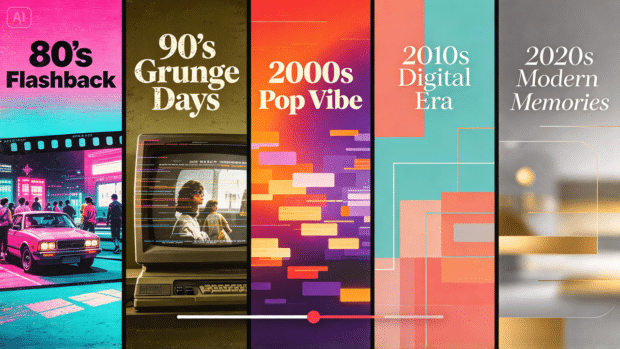
An end-of-year school video deserves to feel like more than a standard photo slideshow set to music, and reimagining students or memories through different decades’ distinct visual styles turns that familiar format into something genuinely fun and memorable.
AI video generator, and you’ll see how quickly a handful of class photos can become a nostalgic, decade-hopping video the whole school actually wants to watch.
Dreamina, powered by its advanced Seedance 2.5 video generation model, handles this kind of stylized, era-driven transformation with real visual charm. Here’s how to build a video that takes viewers on a genuine trip through time.
Why decade-hopping content works so well for year-end recaps
A standard slideshow blends after a few minutes, but jumping between distinct decade aesthetics- 1970s warmth, 1980s neon, 1990s grunge, 2000s pop energy- gives each segment its own visual identity, keeping viewers genuinely engaged as the video unfolds.
Choosing decades that suit your school’s actual personality
Rather than covering every decade evenly, leaning into two or three that genuinely resonate, perhaps tied to a school anniversary or a popular theme that year, keeps the concept focused rather than feeling like an exhausting, unfocused tour through every era at once.
Adding decade-specific transitions between scenes
Smooth transitions help each era feel like part of one continuous journey rather than a collection of disconnected effects.
Try using a vintage film reel, a spinning record, or a retro television channel to move from one decade to the next. When writing your Dreamina prompt, describe the transition alongside the colors, clothing, and background of the upcoming scene.
For example, a flickering television screen could shift from a warm 1970s classroom into a neon-lit 1980s school dance. These small creative details make the video feel more cohesive while giving viewers another reason to stay engaged until the final reveal.
Mapping each decade’s signature visual details
A few quick visual anchors per decade keep each segment instantly recognizable:
-
1970s: warm earth tones, flared styling, soft film grain
-
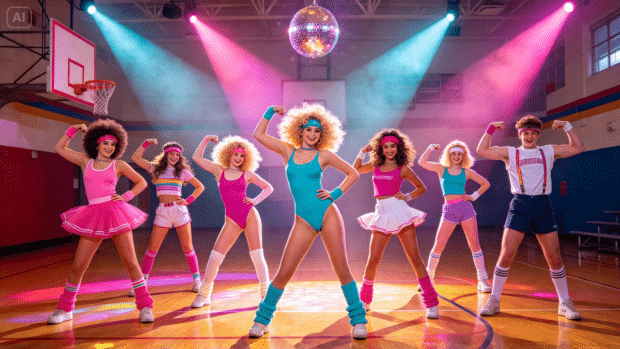
1980s: bold neon color, big hair, dramatic shoulder pads
-
1990s: grunge textures, plaid, muted color with a slight edge
-
2000s: bright pop color, flip phones, playful digital-era energy
How Seedance 2.5 handles multiple stylistic transitions
Seedance 2.5’s support for complex editing tasks proves especially useful here, since a convincing decade-hopping video depends on several distinct, dramatic style shifts happening smoothly within one sequence.
Its fixed handling of duplication and multi-person consistency issues also matters significantly for group photos specifically, keeping every student recognizable and accurately represented across each decade transformation rather than blurring together.
Your 3-step time-travel reveal with Dreamina
Step 1: Upload reference image and write corresponding prompt
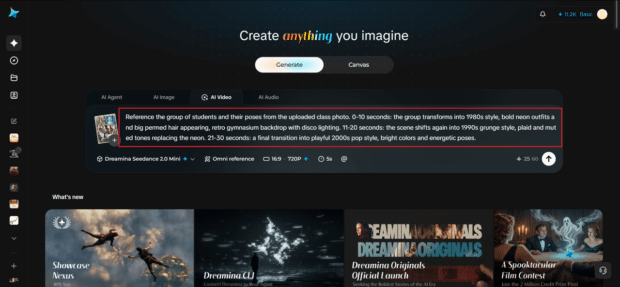
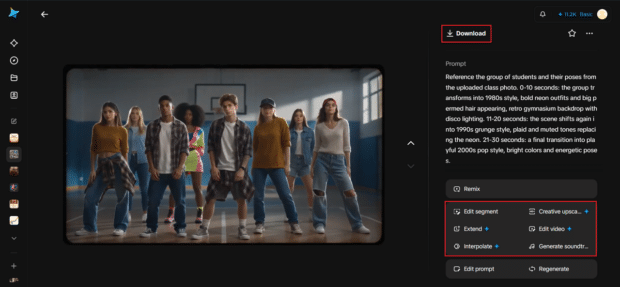
Visit Dreamina, sign in, and head to the AI Video section. Click “Add reference image” to upload a class or group photo, then write a prompt describing the decade transformation you want animated.
A strong 30-second sample prompt might read: Reference the group of students and their poses from the uploaded class photo. 0-10 seconds: the group transforms into 1980s style, bold neon outfits and big permed hair appearing, retro gymnasium backdrop with disco lighting. 11-20 seconds: the scene shifts again into 1990s grunge style, plaid and muted tones replacing the neon. 21-30 seconds: a final transition into playful 2000s pop style, bright colors and energetic poses.
Describing each decade transition in sequence keeps the reveal feeling like a genuine journey through time.
Step 2: Generate your video
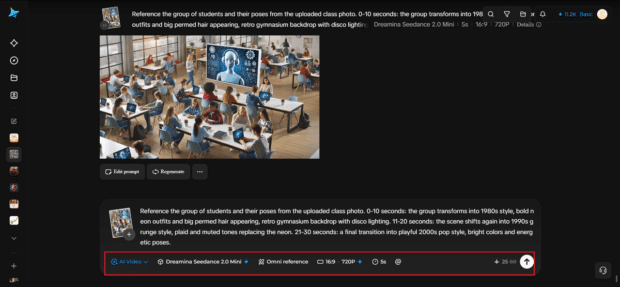
After adding your image and prompt, choose the Seedance 2.5 model for generation. Next, choose your video length, then a suitable aspect ratio; 16:9 suits a YouTube year-end compilation, while 9:16 works well for Instagram Reels and TikTok school content. Finally, click Dreamina’s icon and wait a few seconds for processing.
Step 3: Enhance & export the video
Polish your clip before saving it using Dreamina’s AI editing tools. Use advanced tools like Upscale for crisp, vibrant detail, or Generate soundtrack to add decade-appropriate music cues matching each transition. Finally, export and share it at year-end assemblies or across school social media.
Building a longer video from multiple class groups
Once one group transformation works well, sequencing several different class or club photos, each going through the same decade journey, creates a genuinely comprehensive year-end video representing the whole school rather than just one group.
Keeping the tone fun and inclusive
Since this content represents real students, keeping the stylistic transformations playful and universally flattering, rather than exaggerated in ways that could feel embarrassing, keeps the final video something everyone featured genuinely enjoys watching.
Where decade-themed school videos get real use
This kind of nostalgic, stylized content serves several school community purposes:
-
End-of-year assemblies and graduation ceremony content
-
School social media and yearbook digital supplements
-
Reunion event content for alumni associations
-
Spirit week and themed event promotional material
Getting parent and student input on favorite eras
Running a quick poll asking which decades students or parents are most excited to see can help prioritize which eras actually make the final cut, keeping the video genuinely reflective of what the community wants to see rather than a purely top-down creative choice.
Final thoughts
A year-end school video can be genuinely memorable rather than just another slideshow, and it’s worth trying it for free to see how convincingly familiar faces can travel through decades of style.
With Dreamina and its advanced Seedance 2.5 video generation model, that nostalgic journey comes together with real visual charm.
Choose decades that fit your school’s spirit, map out clear stylistic transitions, and let Dreamina help this year’s send-off feel like one worth remembering.